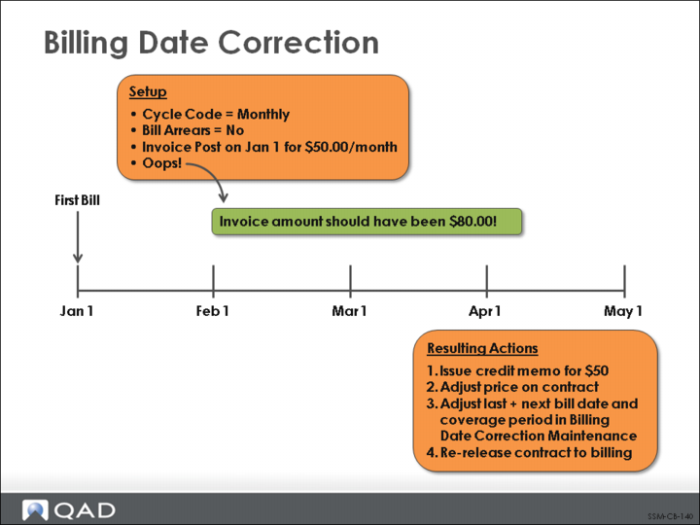
Billing Date Correction
Invoices generated through contract billing cannot be corrected using standard Pending Invoice Maintenance (7.13.1). This is because an incorrect invoice reflects an incorrect contract, and the contract must be fixed within the Service and Support module. SSM offers two paths for correcting billing errors: one before contract invoices are posted to Accounts Receivable and one after.
• If the invoice has not been posted and printed, use Billing Reversal Maintenance (11.5.18.18) to delete it.
• If the invoice has already been posted, then a manual credit must be created and Billing Date Correction (11.5.18.19) must be used.
Each time a service contract is billed, SSM updates the Last Bill, Next Bill, and Coverage Dates for the contract and each line item. If a contract has been billed in error, these dates must be reset. The Billing Release to Invoice function looks at the Next Bill Date field to determine which contracts are eligible for billing. The Next Bill Date field for an incorrectly billed contract must be reversed so that it can be re-released to invoicing.