Call Status
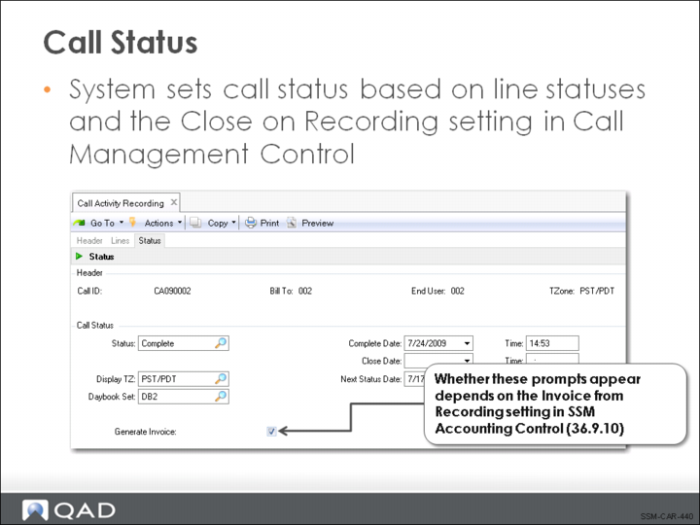
As the final step in CAR processing, the status of the call is determined, based on the Close on Recording setting in Call Management Control.
If Close on Recording is Yes and the call status cannot be changed to closed, the system attempts to set its status to complete. If the status cannot be changed to complete, it is not changed. If you attempt to override the current status set by the system by entering either the complete or closed status, an error message displays, pointing out that there are incomplete lines or an open MO.
If you are not ready to invoice the call or do not want it closed for some particular reason, the closed or complete status suggested by the system can be overridden.
Some businesses prefer to have decisions regarding invoicing handled by management personnel, not the engineers or clerks entering data into CAR. Other service organizations prefer to have the call recording and invoicing completed in one process. Call Activity Recording can support either one of these options.
One of the settings in SSM Accounting Control (36.9.10) determines how invoicing is handled. If Invoice From Recording is No, all invoicing must be processed in Call Invoice Recording (11.1.1.15). If Invoice From Recording is Yes, a Generate Invoice prompt displays in the Call Status frame of Call Activity Recording. If you accept the Yes value for Generate Invoice, a pending invoice is created for all item lines that have a complete or closed status. If the status for the entire call is set to the complete or closed status, then all activity on all lines is invoiced when Generate Invoice is set to Yes.