Billing Summary
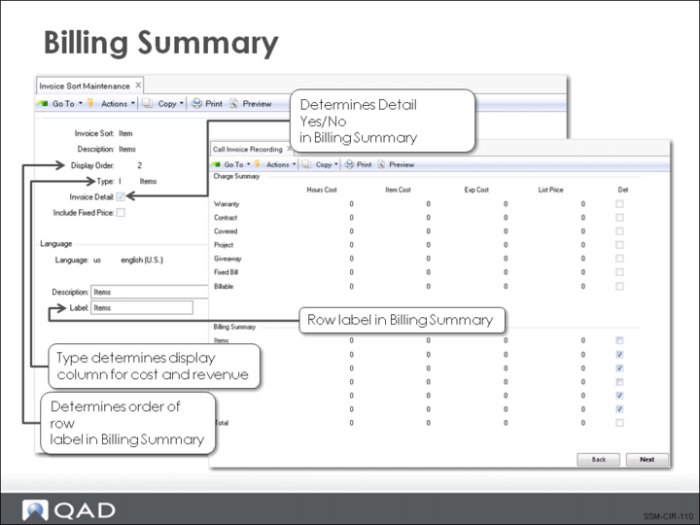
The Billing Summary frame provides another summary view of financial data recorded in CAR. The Billing Summary frame displays the total cost for each invoice sort. This allows you to see at a glance how costs are spread between items, labor, and expenses. The List Price column shows the total amount billed for each invoice sort.
The setting of the Det (detail) column only affects the printed invoice presentation. All billing details are available for review in CIR.
The rows in the Billing Summary refer to invoice sorts. They have user-defined labels and appear in the order defined in Invoice Sort Maintenance (11.21.5). You can display information for up to six invoice sorts.