Changing Inventory Data
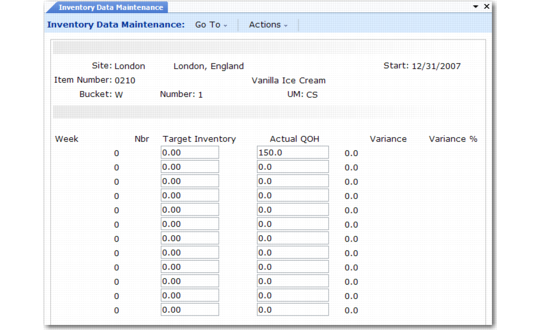
To change previously loaded target inventory levels or on-hand inventory balances, use Inventory Data Maintenance (33.13.17). You can also use this program (manually or with CIM) to record inventory quantities.
See User Guide: QAD System Administration for information on CIM.
By default, the screen displays item information in calendar weeks, but you can switch to GL periods.
Warning If you normally plan in weeks, do not change quantities in period view. If you do, the system permanently reassigns all weekly quantities to the first week of each period.
Inventory Data Maintenance (33.13.17)
This program is very similar to Sales Data Maintenance (33.13.13). Only two fields are different:
Target Inventory
Enter the target inventory quantity to update.
Actual QOH
Enter the actual inventory balance to update. You can update this only in week view. In period view, the system cannot associate balances back to the correct week.
Important: If you record or change target inventory levels for the operations plan, you must set Calculate Target Inventory Level to No when you run Source Matrix Explosion (33.13.8). Otherwise, the explosion will overwrite your changes.