Creating Quality Orders
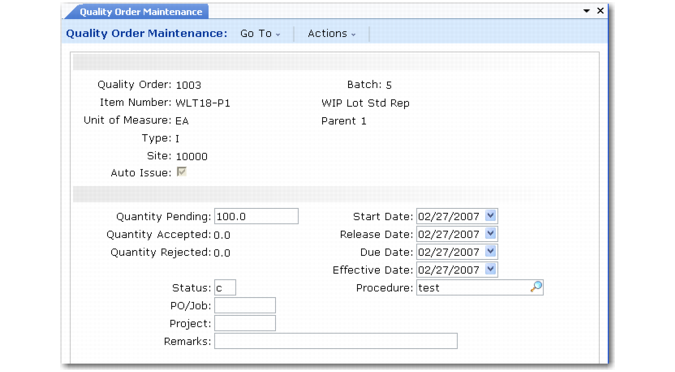
Create quality orders in Quality Order Maintenance (19.7).
Quality Order Maintenance (19.7)
Type
Specify the type of testing to be done.
I (Inspection): The quantity to inspect is transferred to the inspection location specified in Quality Management Control. Any quantity rejected is issued from this location and expensed to the Scrap account. Quantity accepted is transferred back to regular inventory.
D (Destructive): The quantity to inspect is transferred to the inspection location, but both accepted and rejected quantities are issued and expensed to cost of production.
Site
This site defaults from the inspection site defined in Quality Management Control.
Auto Issue
Enter Yes to have supplies required for an inspection automatically issued. The quantity issued is the Quantity Per for the supply item—specified in the associated procedure—multiplied by the change in the quantity pending inspection. Enter No to have supplies issued during Quality Order Results Entry (19.11).
Quantity Pending
This is the quantity to be transferred to inspection. If the quantity pending is changed on a quality order, the difference is calculated and transferred, either to inspection or to inventory.
Quantity Accepted, Quantity Rejected
These quantities default from Quality Order Results Entry.
Effective Date.
Enter the date the system should use for GL transactions. The system verifies that the date is in an open GL period.
Status
The status of a quality order. Values are either blank, Open, or Closed. An order remains open until quantity pending is zero.
Procedure
A quality order can reference a procedure the same way a work order can reference a routing.