Calculating Forecasts
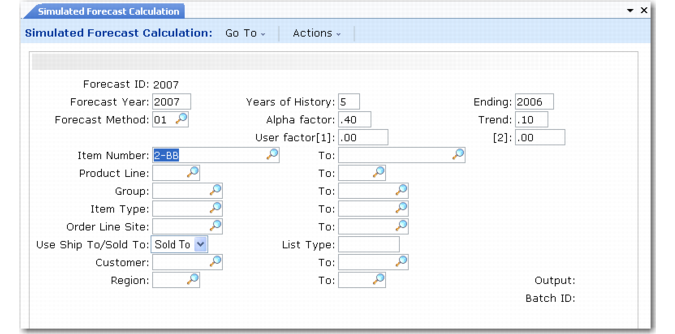
Run forecast calculations using Simulated Forecast Calculation (22.7.5).
Simulated Forecast Calculation (22.7.5)
Simulated Forecast Calculation analyzes an item’s shipment history data and produces a forecast detail record that predicts what quantity of the item will be sold in the future.
This calculation requires a criteria template. You can either specify a criteria template defined in Simulation Criteria Maintenance (22.7.1) in the Forecast ID field or define a new criteria template at this time.
When insufficient shipment history exists to generate a valid forecast for an item, the detailed forecast record for that item is created for a quantity of zero. Negative results also display as zero quantities.
Note: At least one sales record is required to produce a nonzero forecast quantity.
Running Simulated Forecast Calculation generates sales predictions for each specified item for a one-year period. If you specify an entire product line, product type, or product group for which to forecast, each individual item is forecasted separately. Also included in the report are the number of items calculated and insufficient items—that is, items that lack enough historical data to generate an accurate forecast.
The calculated forecast quantities are stored in forecast detail records, identified by the forecast ID, year, and item. You can manually modify forecast detail records as needed.
Note: You must enter forecast detail records created outside the system manually using Detail Forecast Maintenance (22.7.7) or load them using the CIM interface. See
Manually Creating Forecasts.
When you run a forecast calculation, any existing criteria templates or forecast detail records with the same forecast ID are automatically deleted.
Criteria templates used to calculate forecasts can be further modified only when doing another calculation using Simulated Forecast Calculation.