Conversion Execution > Execute Conversion
  
Execute Conversion
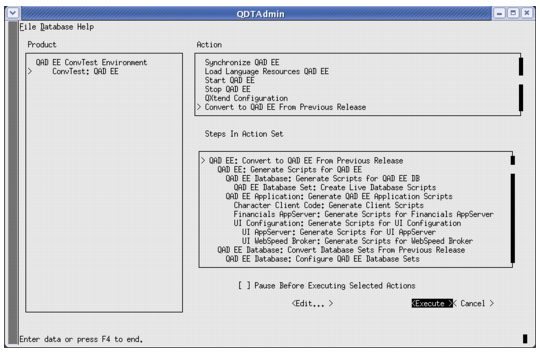
1 Tab to Execute and press Enter to start the conversion as shown in Starting the Conversion.
Note: Conversions are complex processes that can terminate prematurely when data-related errors are encountered. If the conversion terminates prematurely, determine the root cause of the failure and correct it in the source environment. Then restart the conversion from the beginning by reinstalling QDT and QAD Enterprise Edition (see Performing a Clean QDT and Enterprise Edition Reinstallation).
QAD recommends that you execute the conversion using the Pause Before Executing Selected Actions feature, which allows you to make backups (snapshots) during the conversion. See Snapshots for more information.

Starting the Conversion
The conversion proceeds until finished or an error occurs. No further input is required until the conversion ends.
2 When the conversion finishes, go to Conversion Validation.