COA Cross-Reference Types
Use COA Cross Reference Create (25.3.14.1) to define COA cross-references.
You can create three types of cross-reference mappings: Combined COA Dimensions, Separate COA Dimensions, and Alternate COA.
Combined COA Mapping
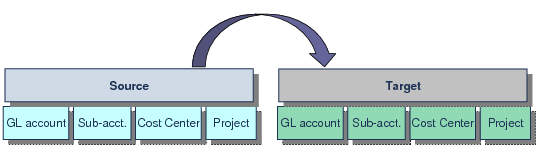
Combined COA mappings are used in consolidation, and let you specify cross-references from source GL combinations to target GL combinations.
Combined COA Mapping
Combined COA Mappings shows a combined COA cross-reference, where combinations (including ranges) of GL COA elements in the source domain are mapped to single COA elements in the target domain.
Combined COA Mappings
Source | | | | Target | | |
GL | Sub-Acc | CC | Proj | | | GL | Sub-Acc | CC | Proj |
1000-9000 | 100-808 | 10-99 | * | | | 0900 | 999 | 9 | All |
| | | | | | | | | |
Separate COA Mapping
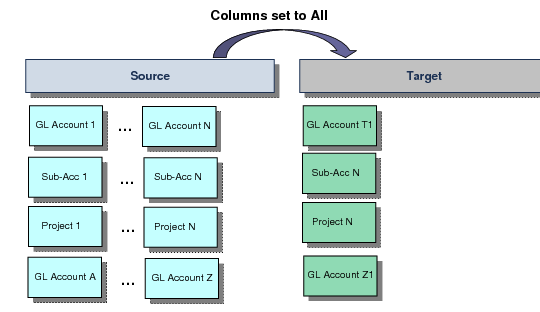
Separate COA mappings are used in consolidation, and let you specify separate cross-references from source COA elements to separate target COA elements (GL accounts to target GL account, sub-accounts to target sub-accounts, and so on).
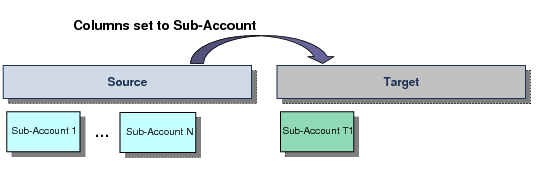
When creating separate COA cross-references, use the Columns field to indicate the type of mapping to filter on—All, GL Account, Sub-Account, Cost Center, or Project. The filter lets you focus on one element at a time, and you can change the filter type during input.
Separate COA Mappings shows a separate COA cross-reference mapping with the Columns field set to All in COA Cross Reference Create. In this case, you can create mappings for each type of COA element on a separate row.
Separate COA Mappings
Separate Sub-Account Mapping shows a separate COA cross-reference mapping with the Columns field set to Sub-Account.
Separate Sub-Account Mapping
Alternate COA Cross-Reference
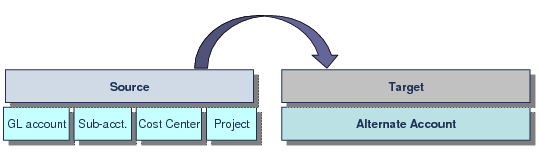
Alternate COA mappings let you specify cross-references from source GL combinations to target alternate accounts. You can only create mappings for the lowest level alternate accounts.
Alternate COA Cross-Reference Mapping