Consistency Checks Report
The Consistency Checks report (25.21.3.2) displays the results of the selected consistency check validation run in report format.
Consistency Checks Report
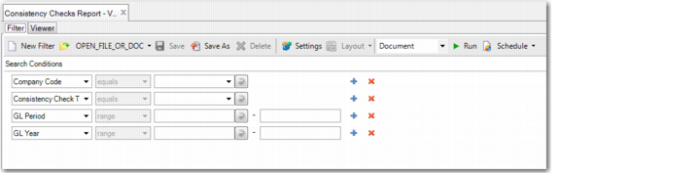
The following are the selection criteria:
• Company Code
Select the entity for which you want to display the consistency checks.
• Consistency Check Type
Select the type of consistency check to include in the report: Technical, Business, or Other. Leave the field blank to include all three types.
• GL Year
Specify the GL calendar year for which you want to run the report.
• GL Period
Specify the GL period for which you want to run the report.
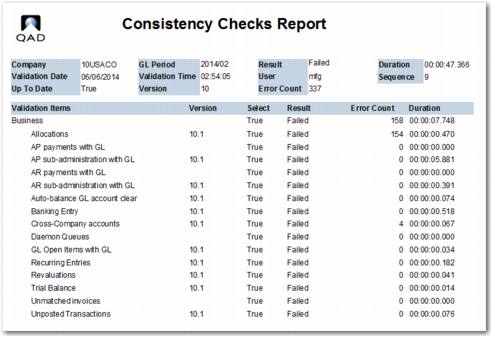
The Consistency Checks report includes the following information:
• A results overview, displayed in the report header. This information includes the total run duration for the report.
• The entity for which the report was run.
• The type of validation performed: Technical, Business, or Other.
• The GL calendar year and period range for which the report was run.
• The run date, run time, and user.
• An indication of whether the results are out of date.
• The validation step and description.
• The result of the validation (Passed or Failed).
• The duration of each validation step.
Consistency Checks, Report Output