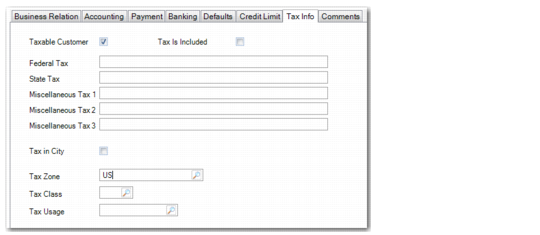
Tax Info Tab
Tax values default to documents created for the customer and can be modified during transaction processing.
The value for the Taxable Customer field defaults from the Taxable field in Global Tax Management Control (29.24). The values for the Tax Is Included and Tax in City fields default from the business relation.
Note: If the Taxable field in Global Tax Management Control is set to No, the Taxable Customer field defaults to No in all new customer records in the current domain and in all other domains that use the same customer shared set.
You can modify the default details as needed. See
Tax Information Tab for a description of the fields.
Note: You can use non-intrusive customization to implement validation for the federal and state tax IDs to ensure they meet the requirements of your local tax authority. This validation is then applied when you enter federal and state tax IDs in this tab, or in the Tax tabs on the Business Relation and Supplier records. For more information, see
QAD System Administration User Guide.
Customer Create, Tax Info Tab