Using Self Bill Auto Create
Follow these steps to create a self-bill or to add lines to an existing self-bill using Self-Bill Auto Create (27.6.12.4).
1 Enter a previously created self-bill number, or leave Self-Bill blank when creating a self-bill.
2 Enter any identifying information in the auto-create selection screen. Enter as much or as little information as you have from the customer’s remittance advice you are re-creating. Significant information you should enter is:
• Shipper number
• Sold-to
• Ship-to
• Item number
• Date of shipment
• Authorization number
Note: The more selection criteria you provide, the narrower and more accurate your selection becomes.
3 Specify whether to include shipment details, trailer charges, taxes, container charges, line charges, or order discounts on the selection display screen.
4 Select a sort order for the resulting workbench report.
5 Choose Next.
The system analyzes your customer’s shipment data and displays a list of possible shipper numbers that might be associated with the customer’s remittance advice document. This information is displayed in the screen according to the sort order you previously indicated.
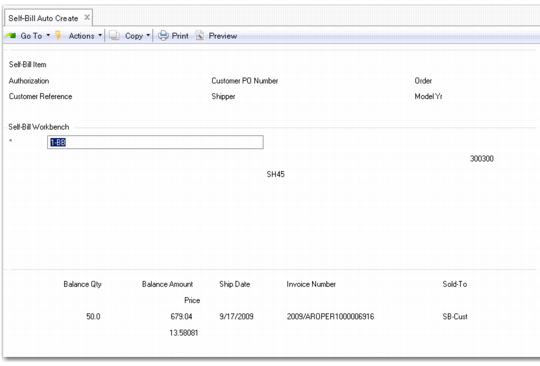
Self-Bill Workbench Area
6 Use the workbench area to refine your selection by deselecting any lines that should not be referenced by this self-bill. The item number is the customer’s item number, which was originally used on the order.
• Use Next/Previous functions to navigate from entry to entry.
• Deselect any entry that does not belong on the self-bill. An asterisk (*) indicates selection.
7 Choose Next to continue with your selection.
8 Print and review the selection. You are prompted to continue.
• If you continue, either all selections are added to an existing self‑bill or a self-bill is created and selections are added to it.
• If you do not continue, selections are not added to the self-bill.
9 Self-Bill Maintenance (27.6.12.1) is automatically invoked to let you edit these selections to correctly reflect the information on the remittance advice. In the Self-Bill Maintenance header, you cannot edit the Self-Bill, Bill-To, or Currency fields, which default from Self-Bill Auto Create.