Receiver Matching and Daybook Security
Daybook security lets you restrict access to transactions associated with certain daybook types to users who have roles linked to that daybook. See
Daybook Security for more information.
You can apply daybook security to receiver matching and financial matching transactions posted to daybooks of type Matching. This section describes the effect of daybook security for Matching daybooks on receiver matching. See
Financial Matching and Daybook Security for information on daybook security and financial matching.
If implemented, daybook security for receiver matching restricts access to transactions in Receiver Matching Create and Receiver Matching Modify to users who have roles associated with the Matching daybooks used.
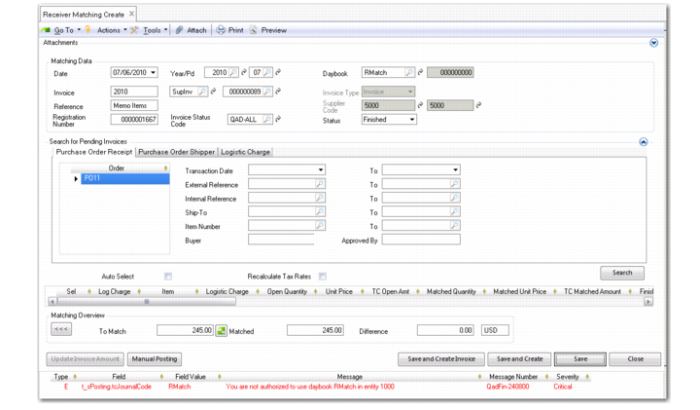
When creating a receiver matching record, if you select a matching daybook associated with a role you are not assigned, an error message displays and you are prevented from saving the record, as shown in
Receiver Matching Create, Daybook Security Error.
Receiver Matching Create, Daybook Security Error
For Receiver Matching Modify, if you browse and select a record that uses a matching daybook that you do not have access to, the system displays a warning and only permits you to view the record.
When receipts created in one entity are matched against invoices created in another, cross-company postings are generated. In order to save the postings, you must be assigned to the role specified for the Matching daybook in both the source and target entities. Otherwise, the system displays an error and you cannot save the receiver matching in the source entity or the cross-company posting in the target entity.