COA Mask Copy
To facilitate data entry, each COA mask has a copy function that lets you create a COA mask based on an existing matrix. The copy functions are:
• Sub-Account Mask Copy (25.3.9.1.5)
• Cost Center Mask Copy (25.3.9.2.5)
• Project Mask Copy (25.3.9.3.5)
To create a new COA mask by copying and modifying an existing mask:
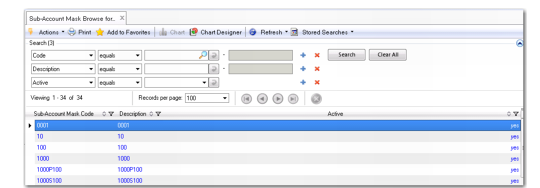
1 Open the COA mask function for the type of mask you want to copy; for example, Sub-Account Mask Copy.
A browse opens.
Sub-Account Mask Browse for Copy
2 Double-click on the COA mask that you want to copy.
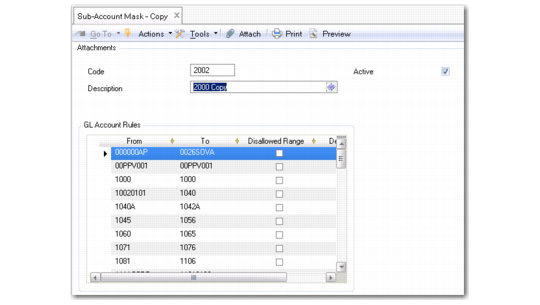
The Sub-Account Mask Copy window opens with the data for the COA mask you copied.
Sub-Account Mask Copy
3 Enter a new COA mask code and description.
4 Modify the ranges, and insert and delete rows as required.
5 Save the new COA mask.