Daybook Reporting Groups
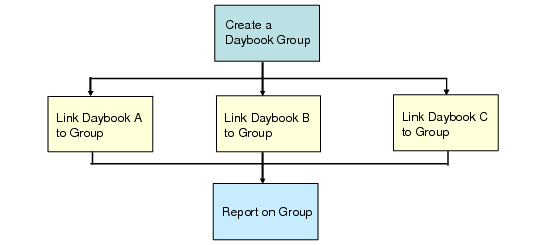
Daybook groups let you link numerous daybooks together so they can be reported on as a group; for example, you can create a group for all domestic supplier invoices. You link a daybook group to a daybook using the Daybook Group field in Daybook Create (25.8.1.1).
Daybook Group Flow
If you create a daybook group, it becomes mandatory that users specify a daybook group value in Daybook Create (25.8.1.1).
Currently, the following reports include daybook groups:
• Reporting Daybook Exception Report (25.8.13)
• AP Tax Register Details Report (29.6.3.11)
• AP Purchases Tax Register Report (29.6.3.12)
• EU Sales Linked to EU Purchases (29.6.3.14)
• AR Tax Register Details Report (29.6.3.16)
• Suspended Tax Register Report (29.6.3.18)
See
QAD Global Tax Management User Guide for more information on tax registers and tax register reports.
Another function, Reporting Daybook Modify, lets you change the reporting daybook code used in financial transactions. See
Modifying Reporting Daybooks.
Creating Daybook Groups
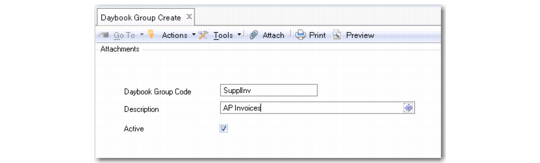
Use Daybook Group Create (25.8.2.1) to define reporting daybook groups.
Daybook Group Create
Daybook Group Code
Enter a maximum of 20 characters for the code that identifies the daybook group.
Description
Enter a maximum of 40 characters for a description of the daybook group.
You can optionally enter descriptions in more than one language. For more information on the Translation Option, see
Introduction to QAD Enterprise Applications User Guide.
Active.
Indicate if this is an active daybook group.
Deleting Daybook Groups
You can use Daybook Group Delete (25.8.2.4) to delete a daybook group if no daybooks have been associated with the group.