Activating Electronic Signature Profiles
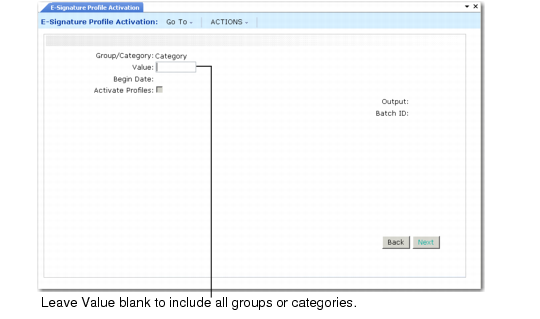
After completing the workbench profiles, use E-Signature Profile Activation (36.12.14.8) to activate profiles for one category or a group of categories. Activated profiles are staged for electronic signature functions to begin on a future date; signature settings are not in effect immediately after a profile is activated.
E-Signature Profile Activation (36.12.14.8)
Profiles cannot be activated on the begin date. Plan all changes ahead of time and activate updated profiles before their begin date. Profiles must have the begin date set to sometime in the future. Activated profiles become effective at 12:00 AM on the specified date.
You can execute this program in batch mode if you are activating a group with many associated categories.
When this program completes execution, it generates a report that displays information for each activated profile. The report includes the following for both the original profile and the newly activated one:
• The category name.
• The value of E-Signature On.
• The begin date.
• The data structure of the profile, listing all tables and fields that are marked as selected in E-Signature Workbench Maintenance. The system uses greater-than symbols (>) and spaces to show the hierarchical relationships between data elements. See
Tables and Fields.
If Activate Profiles is No, only the report is generated; the profiles currently in use are not updated. You can use this setting to verify the effects of running the program before you actually activate the profiles.
Use Activated E-Sig Profile Report (36.12.14.9) to display details about activated profiles.
When a profile is activated, the system automatically sends an e-mail message to system users who are assigned to the administrator role in Security Control (36.3.24). See
E-Mail Notifications.