QAD 2016 Enterprise Edition Training Guides
>
Financials-Advanced
>
Consolidation
>
Intercompany Elimination Postings
Intercompany Elimination Postings
The section describes how to identify and eliminate intercompany postings in your consolidation.
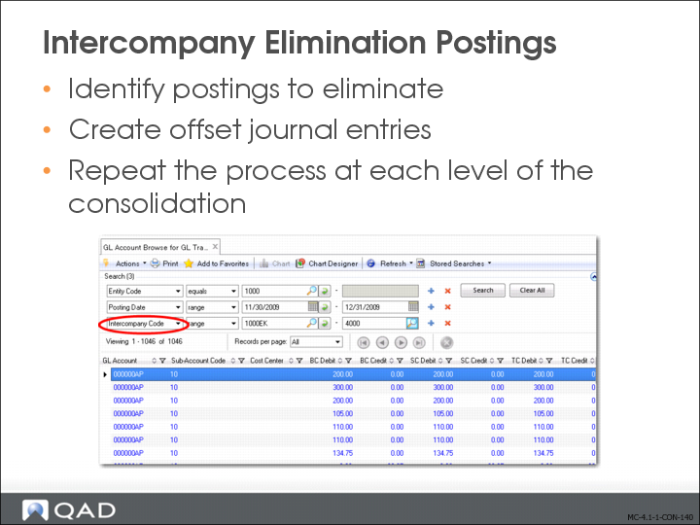
1 Identify the postings to eliminate using one of the following methods:
• Use GL Transactions View Extended (25.15.2.10) or Trial Balance View (25.15.2.9), and filter by intercompany code to display intercompany transactions.
• Run the GL Transactions by Intercompany Code report (25.15.1.5) to identify intercompany transactions to eliminate.
2 In the consolidation entity, create and post a journal entry that offsets intercompany transactions.
The elimination posting can consist of a single journal entry posted to one of the new journal entries type daybooks you created in
Eliminating Intercompany Transactions from the Consolidation Entity. For ease of entry, you can use a posting template.
3 At each level of consolidation, repeat the process of identifying intercompany transactions and creating netting postings to eliminate them.
Special Considerations for Staged Consolidations
For staged consolidations, where you consolidate the local entities first, followed by regional entities, and then global entities, you can take one of two approaches to eliminating intercompany postings from your consolidation:
• Incremental eliminations
Consolidate the management layer containing the elimination postings to a higher level in the consolidation. At the higher level, only create postings to eliminate the intercompany positions at that level.
• Full elimination at each level
Do not consolidate the management layer that contains the elimination postings to a higher level in the consolidation. At the higher level in the consolidation, create new, complete journal entries that eliminate all intercompany positions up to that consolidation level.