Process Incoming Bank Files
Objectives
This section describes how to set up and use the electronic banking functions in Financials.
You can import bank statements electronically from external systems, and convert transaction data contained in electronic bank files into automatic customer and supplier payments.
This chapter describes two of the most common worldwide methods for transferring and processing electronic bank files: lockbox processing, used in the US, and SWIFT MT940, more commonly used in Europe.
Your instructor will then demonstrate the whole bank file import process.
Prerequisites
This section lists the setup required before you can process transactions electronically.
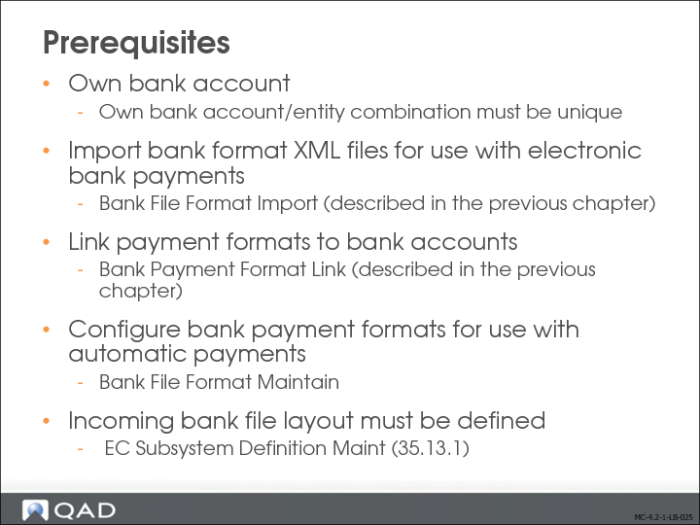
The setup includes:
• Ensuring the combination of own bank account and entity is unique.
• Importing predefined bank format XML files for use with electronic bank payments using Bank File Format Import. This setup step is described in
Bank File Format Import.
• Configuring bank payment formats for use with automatic payments from bank payment files. This is described in
Bank File Format Maintain.
Bank File Format Maintain
In Bank File Format Maintenance (31.1.9), link the transaction codes to activities.
Bank payment files contain transaction codes, which identify the types of payment contained in the file. These codes are mapped to the system actions Create Customer Payment, Pay Customer Payment, or Pay Supplier Payment. This ensures that the correct type of automatic payment is created for each transaction.
For example, Wells Fargo uses the code R12057 to identify supplier payment transaction messages within payment files. This code is mapped to the system action Pay Supplier Payment. When you import a Wells Fargo payment file, the system maps all supplier payment transaction messages to the action Pay Supplier Payment. Once the messages are validated and processed, the system performs the action to which the transaction code is mapped. In this instance, the system invokes the Pay Supplier Payment action for all messages that are coded R057. It then retrieves the original supplier payments for these transactions and changes their status from For Collection to Paid.
The system uses the payment format linked to your bank account to store the mapping information. To enable auto-generated payments, you must link a payment format containing the correct mappings to your bank account when initiating the customer or supplier payment process. For example, to process Wells Fargo bank files, you must link the payment format containing the Wells Fargo transaction mapping to your account as part of the initial setup for customer or supplier payments. This ensures that when you import Wells Fargo payment files, the system can automatically complete the payment cycle.
Bank File Format Maintain (31.1.9) lets you create and view the transaction code mappings.