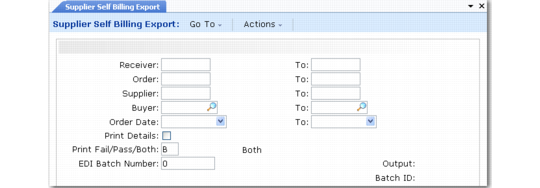
Exporting Self-Billing Information
Use Supplier Self Billing Export (35.4.11) to export payment invoice information to your suppliers in a self-billing environment. They can then use this information in either a self-billing or receipt-advice context to associate your payments with their corresponding sales order and shipping records. For example, you could use this program to export self-billing information to suppliers using the Self-Billing module.
Enter selection criteria to specify which supplier invoice data to export based on the receiver number, purchase order number, supplier, buyer, or date you received the order. The system then exports data from supplier invoices. For example, you can export supplier invoices created with Evaluated Receipts Settlement (ERS).
Supplier Self Billing Export (35.4.11)
To ensure that the same supplier invoice cannot be exported twice, the system records the batch ID in the vendor purchase order detail table (vpo_det).
Note: The batch number is recorded whenever a supplier invoice is selected for export, even if the document does not export successfully.
To be able to select a supplier’s invoices for export by this program, define some related parameters in Trading Partner Parameter Maintenance (35.13.10). The parameter record of each supplier who can receive self-billing documents must include:
• Logical position 11: Send Supplier Invoice; set to Yes or No
• Character: ERS Document Name; set to Supplier Invoice
• Integer: ERS Document Ver; set to 1