Exporting Price Lists
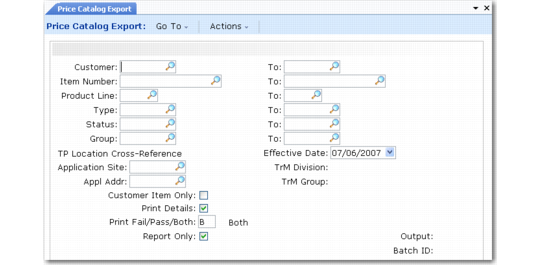
Use Price Catalog Export (35.4.17) to export item and price information as an EDI message to an external system. For example, the external system could be a catalog system or a customer who wants the latest list of prices.
Price Catalog Export (35.4.17)
Enter selection criteria to identify ranges of customers and characteristics of items to have pricing data exported. If you use Customer Item Maintenance (1.16) to define cross-references between your item numbers and your customers’ numbers, set Customer Item Only to Yes. This setting limits the export to items that have cross-references.
This export uses the following trading partner parameters, which are set up in Trading Partner Parameter Maint (35.13.10):
• Logical position 16: Send Price Catalog; set to Yes or No
• Character: Price Catalog Doc Name; set to the name of the application document definition to use; for example, Price-Catalog
• Integer: Price Catalog Doc Name; set to the version number of the application document definition to use
The system uses information in the Address and Site fields to find cross-references to trading partner identifiers defined in Trading Partner Maintenance. The cross-references determine where the exported data is sent.
Best pricing functionality determines the price for each selected item based on price lists or item master data, as appropriate. Run this program with Report Only set to Yes to review a report on items selected and their prices before actually exporting data. If you want the pricing to be based on information for a date other than the current one, modify Effective Date.
Note: Prices are exported in the currency associated with the customer in Customer Maintenance.