Using PCR/PCO Function Maintenance
This program provides several utilities to support the copying and merging of PCOs and PCRs. A submenu displays several choices.
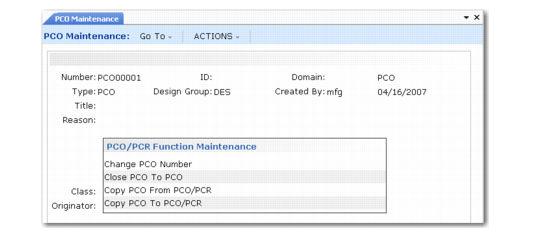
PCO/PCR Function Maintenance Menu
• Change PCO Number. Used to change the Number, ID, and/or Domain fields of the PCO you are currently editing. Enter new values for these fields to have the system execute the required change immediately. Once completed, the PCO can no longer be accessed using the old number/ID/domain values.
• Close PCO to PCO. Used to merge detail from the PCO currently being edited into another existing PCO, then close the current PCO. If the same item, product structure, or formula records exist in the target PCO, the corresponding records are not copied.
• Copy PCO from PCO/PCR. Used to copy all or part of the detail from another PCO/PCR into your current document. If the same records already exist in the target PCO, they are not copied.
• Copy PCO to PCO/PCR. Used to copy all or part of the detail from your PCO to another one. If the same records are already included in the target PCR/PCO, they are not copied.
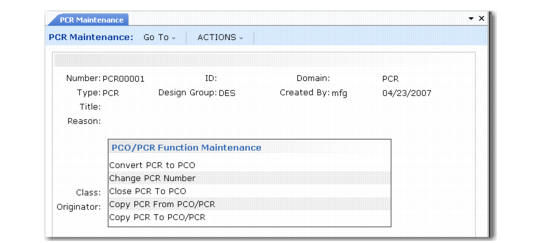
Two additional functions are available from PCR Maintenance, illustrated in
PCO/PCR Function Maintenance Menu.
PCO/PCR Function Maintenance Menu
• Close PCR to PCO. Used to merge the detail from the PCR you are currently editing into an existing PCO and then close the current PCR. If the same records exist in the target PCO, they are not copied. This is the only way a PCR can affect the production system, since PCRs cannot be released and distributed.
• Convert PCR to PCO. Converts the PCR you are currently modifying to a PCO. You are prompted for a new PCO type and design group, since the current type is designed for PCRs. Once you enter a valid PCO type and design group combination, the PCR becomes a PCO with the same number.