Modify the Number of Browse Records that Display
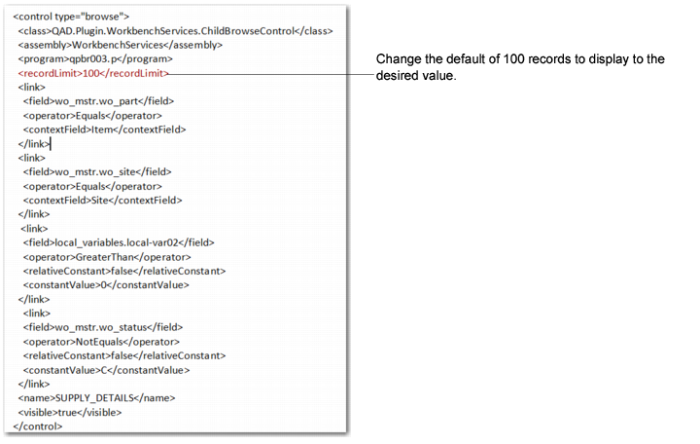
By modifying the ConfigControl.xml file, you can change the default number of records that display in the supporting browses in the workbenches. To change the default, locate the following marker and enter the desired value:
<recordLimit>100</recordLimit>
For example, to change the number of records from the default of 100 to 25 that display for the following supporting browse, locate <recordLimit>, then change the value to 25.
Code to Change Browse Record Limit
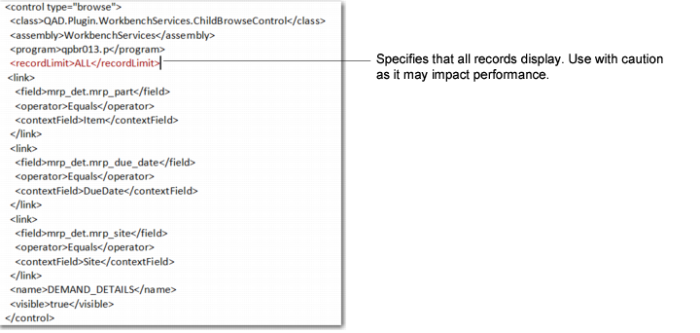
Important: You can change the record limit to display all records by inserting the word ALL within the
<recordLimit> and
</recordLimit> markers as shown in
Displaying All Records; however, when you do, it can potentially cause an impact in performance.
Displaying All Records