Setting the MSW Schedule Horizon
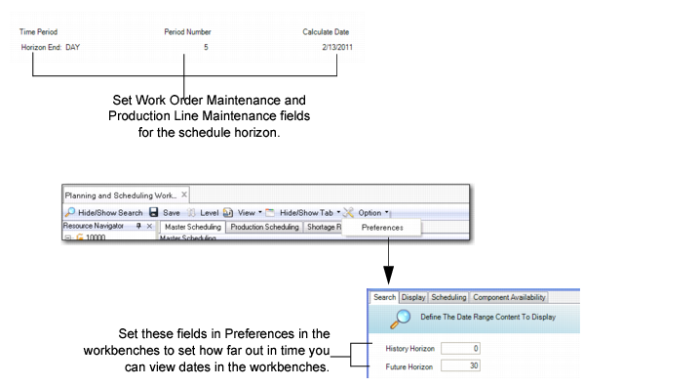
You can configure the scheduling horizon so that you work with the number of days that make up your company’s master schedule.
You can change the schedule horizon dynamically through the Preferences pull-down menu. You select Options, then Preferences, then Search to set the future and history horizon.
Note: Fields in Work Center Maintenance (14.5) also display in Production Line Maintenance (18.1.1) and help control the schedule horizon end and the number of periods within the schedule horizon. The Preferences settings control how far out in time you can view dates on the Schedule Grid; see
Preferences.
Preferences
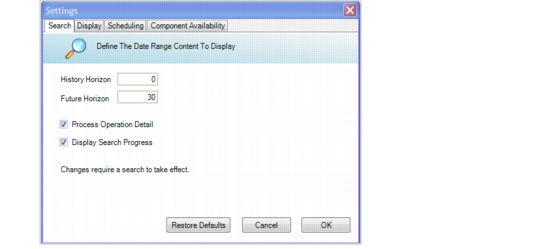
MSW, Search Preferences
History Horizon
Enter the number of days that constitute the past days of your history horizon.
Once you set the History Horizon, you must perform a search to have data within the set horizon.
Future Horizon
Enter the number of days that constitute your future horizon.
Process Operation Details
Indicate Yes for MSW to retrieve and display operation details for production orders.
Display Search Progress
Specify Yes or No to have the system display its progress when retrieving records. Depending upon search criteria that you set, the number of records that the system retrieves can be quite large. If you set this field to Yes, the system informs you of its progress in minutes to retrieve the records. Chapter 1 describes Limitations.