Splitting Production Orders
PSW lets you split a production order into smaller production orders while tracking costs to a cumulative order.
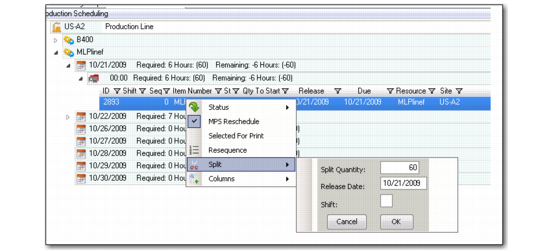
To split a new discrete production order into several production orders:
1 Select the production order to split.
2 Right-click to display the pull-down menu.
3 Select Split.
A window displays additional options; see
Splitting Orders.
4 Enter the split quantity, release date, and if necessary, the shift.
5 Press OK.
The system creates a new production order per the data entered in the split pop-up window and reduces the open quantity.
Splitting Orders