Setting Up Buyers
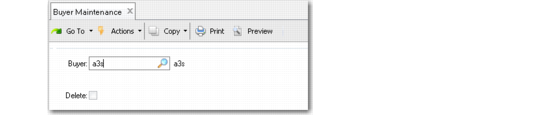
The buyer—an individual who places purchase orders with suppliers—is the last person in the requisition process. After a requisition has passed through final approval, it is routed to the buyer, who references approved requisition line items on purchase orders. Use Buyer Maintenance (5.2.1.20) to add and delete buyers.
Buyer Maintenance (5.2.1.20)
Buyer
Specify the ID of a user previously defined in User Maintenance that is designated as a buyer. During the approval process, the buyer named on the requisition is notified by system-generated e-mail when the requisition is approved and ready to be moved onto a purchase order.
Delete
Enter Yes to remove the user’s status as a buyer. The default is No.
Important: If you use generalized codes for the Buyer field (po_buyer) in Purchase Order Maintenance (5.7), you must first use Generalized Codes Maintenance (36.2.13) to establish any user you want to define in Buyer Maintenance as a valid entry. Otherwise, an error displays in Buyer Maintenance.