QAD 2017 Enterprise Edition
>
User Guides
>
Purchasing
>
Purchasing
>
Creating Purchase Orders
Creating Purchase Orders
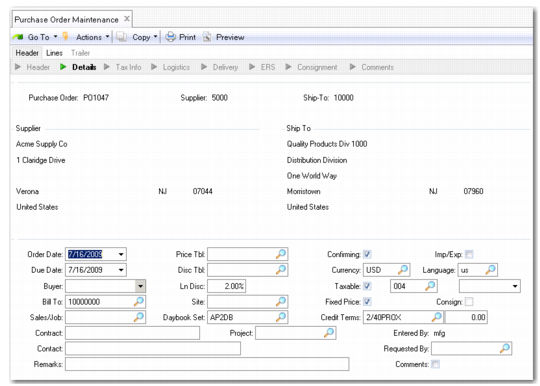
Use Purchase Order Maintenance (5.7) to create a purchase order, which includes three sections:
• PO Header. The header contains the general terms of a contract, such as supplier name, ship-to address, currency (but not price), and delivery date. Some values can be updated during line-item entry.
• PO Line Items. Each line specifies a particular item being ordered, its order quantity, and price. Line details include any exceptions to header information, such as a delivery date or receiving site, that apply to the line item only and not the whole order.
• PO Trailer. The trailer contains tax, shipping, and order status information for all line items.
Purchase orders take their item revision levels from Item-Site Planning Maintenance (1.4.17), so the wrong item will be ordered if this revision level is not the same as that set for an item in Item Planning Maintenance (1.4.7). Use the Item Revision No Variation Rpt (1.5.19) to review purchase orders for mismatches between the revision levels for items.
Purchase Order Maintenance (5.7)