Creating Registrations
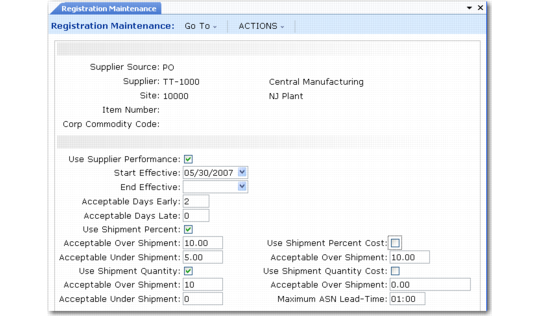
The final step in setting up the Supplier Performance system is to register the suppliers, items, commodity codes, or sites to be monitored. Use Registration Maintenance (5.15.10) to create registrations that indicate the items, suppliers, commodity codes, sites, or combination of these to track and rate. You can also use Registration Maintenance to exclude any registration from performance tracking by setting Use Supplier Performance to No.
Registration Maintenance (5.15.10)
To create a registration, enter identifying information in the first frame. You can fill in all of the fields to measure performance for very specific suppliers that meet the criteria. A very specific registration could be for a certain item, from a specific supplier, at a specific site.
You can specify only one field to collect data for a broader range. If you specify a commodity code only, for example, performance data is collected for both PO and DO suppliers from all sites that supply any item belonging to the commodity code you specify.
The data in the second frame defaults from Supplier Performance Control (5.15.24). Modify the default information according to the specific need of the registration you are creating.
Use Registration Report (5.15.11) to view all details associated with the registrations you create in this program.