Processing by Batch Daemon
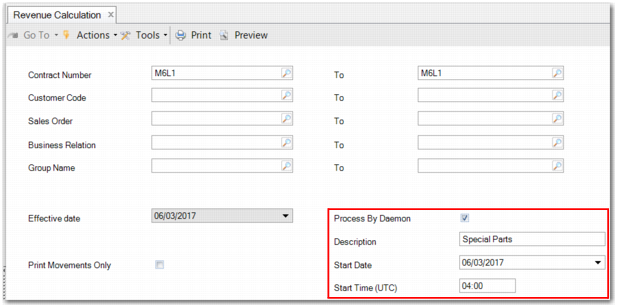
When you run Revenue Calculation (37.3.1), postings are generated to or from a deferred or sales account when the right conditions are met. You can schedule the batch daemon to generate postings for a revenue contract or contracts at a specific time each day, as displayed in
Revenue Calculation Using Batch Daemon. For more detail, see
Running Revenue Calculations.
Revenue Calculation Using Batch Daemon
When you click Calculate in Revenue Calculation, a batch record is created and made available in the Batch Daemon Monitor (36.14.16.19.3).
Note: The batch daemon must be running.
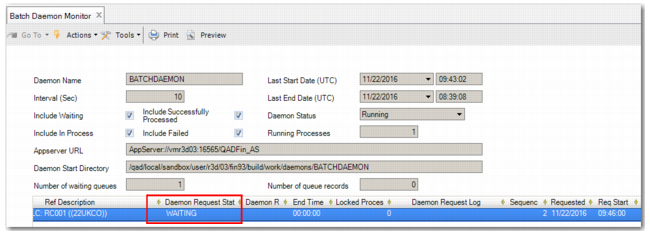
Until the start time is reached, the batch has the status WAITING, as displayed in
Batch Daemon Monitor.
Batch Daemon Monitor
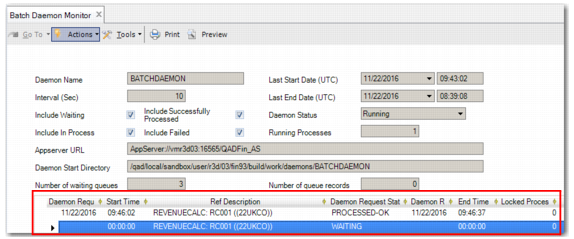
In the example in
Batch Daemon Monitor Example, the batch daemon starts processing the queue record at UTC time 09:46:00. When the record is processed, a new record with the same parameters is automatically created for the next day at the same time.
Batch Daemon Monitor Example