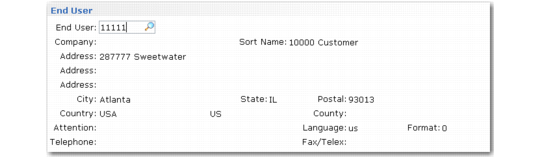
End User Frame
This frame displays when you answer Yes to create a new end user.
End User Creation Frame
By default, the new end user is associated with the temporary customer, as defined in Call Management Control. This enables you to define an end user without having to attach them to a valid customer. This is essential if you service items sold through distributors or retailers and end users contact your company directly for service.
Note: Change the temporary customer to a defined one if you know the customer related to the new end user.
The remaining fields on the frame specify basic end-user address information; specify further details about the end user in End User Data Maintenance. If you entered values on the End User Selection frame, they are carried over to the appropriate fields.
Note: In order to create an end user as part of Call Maintenance, you must have security permission to the End User Create (27.20.3.1) activity.
If Multiple Time Zones is active, you are prompted to specify an end-user time zone, which defaults from the end user’s customer. The time zone determines how times are displayed and stored in Call Maintenance when you take a call for this end user.