QAD 2017 Enterprise Edition
>
User Guides
>
Service/Support Management
>
Call Quotes
>
Call Quote Maintenance
Call Quote Maintenance
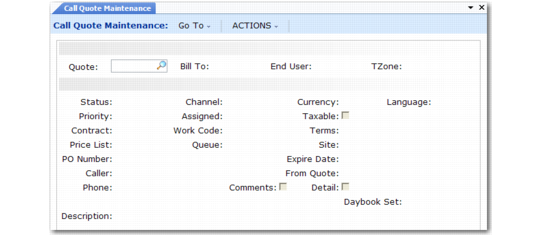
Define defaults for call quotes with Call Default Maintenance (11.1.21.10). See
Setting Up Call Defaults for details. Some defaults display in Call Quote Maintenance (11.1.1.7). Others appear when you create a call from the quote.
Call Quote Maintenance (11.1.1.7)
Quote
Enter a number or let the system generate one from the quote prefix and next quote number in Call Management Control. You must distinguish call quotes from calls with a unique prefix.
Bill-To
Enter a customer bill-to address indicating the customer responsible for this quote.
End User
Enter the end user associated with the items to be serviced. To search for an end user or create a new one, leave this field blank. In this case, the End User Selection frame displays. See
End User Selection Frame.