Displaying Call Items in CAR
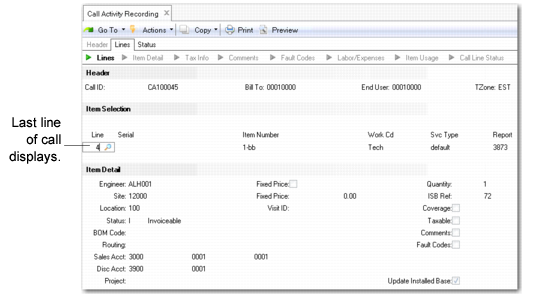
The Item Selection frame appears after the CAR header. It displays the items you recorded in Call Maintenance for this call.
Item Selection Frame in Call Activity Recording
When you access the Item Selection frame, the last item appears, as indicated by the number in the Line field. This way you know immediately how many items are on the call. Use Next/Previous to view other call items.
You can add items to a call using the CAR Item Selection frame. Use this feature if an end user wants more items repaired after the call is created. Instead of opening a new call, you can add lines to the existing one.
Select a line item on the call to record labor, expenses, and items used in detail frames.