QAD 2017 Enterprise Edition
>
User Guides
>
Service/Support Management
>
Call Activity Recording
>
Generating an Invoice
Generating an Invoice
Some businesses choose to have managers handle invoicing, not the engineers or clerks entering data into CAR. Other organizations prefer to complete call recording and invoicing in one process. Call Activity Recording can generate an invoice or simply track costs.
Invoice From Recording in SSM Accounting Control (36.9.10) determines where you create and update invoices. If Invoice From Recording is No, you process invoicing in Call Invoice Recording (11.1.1.15). Use standard system security to restrict access to these functions.
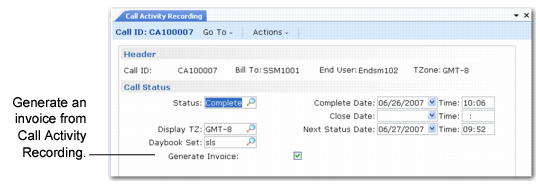
If Invoice From Recording is Yes, a Generate Invoice prompt displays in the Call Status frame of Call Activity Recording as in
Invoice From Recording Set to Yes.
Invoice From Recording Set to Yes
If you indicate Yes to the Generate Invoice prompt, the system creates a pending invoice for lines with a complete or closed status. If the status for the call is complete or closed, the system invoices all lines.
In CAR, you can generate an invoice for a call with any status except hold. You can generate an invoice for a call on hold in CIR, but a warning displays.
If a pending invoice for a call exists, the Generate Invoice prompt appears only if you make changes in CAR that affect the invoice. These changes include:
• Adding labor, expense, or item usage records
• Editing comments
• Changing invoice-related fields such as PO number, credit terms, language, channel, taxes, or fixed rate