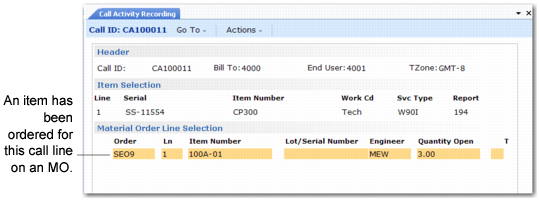
Material Order Selection Frame
If you ordered items with an MO for the call line, the Material Order Selection frame displays open MOs for the associated call line. An open MO has a quantity shipped greater than the quantity consumed plus the quantity returned.
Material Order Selection Frame
Select or deselect MO lines as needed. Selected lines display an asterisk (*). To exit the scrolling window and continue processing, click Next. After you finish the selection, the system loads the MO items into CAR item usage records. To exit the scrolling window without loading MO items into CAR, click Back.