RMA Issues and Receipts for Serialized Items
You can ship and receive RMA lines containing serialized items using the following programs:
• RMA Maintenance (11.7.1.1)
• RMA Shipments (11.7.1.16)
• RMA Receipts (11.7.1.13)
These programs support processing:
• Serialized items
• Unit packs
• Assembly packs
• Aggregated packs
Using RMA Maintenance
The Ship/Receive by Pack field in the Additional RMA Details frame allows you to ship and receive serialized items and packs at RMA order entry. See the field on
Additional RMA Details Pop-Up. When you set this field to Yes, the RMA Issue/Receipt Processing frame pops up after Trailer frame.
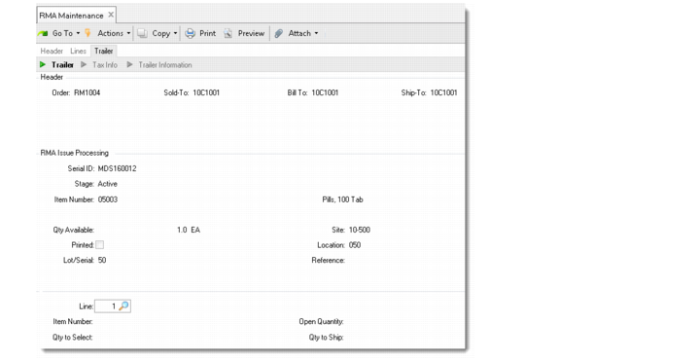
RMA Issue Processing Frame
Enter the serial ID for the item or pack to ship. The associated item/pack information is displayed. Then, enter the RMA issue line number and the quantity to issue.
Note: Ensure that the packs or items meet the following criteria:
• The pack contains the items of the RMA issue lines.
• Their serial IDs are active or aggregated to an active master pack.
• Their site and location are identical with the items in the RMA issue lines.
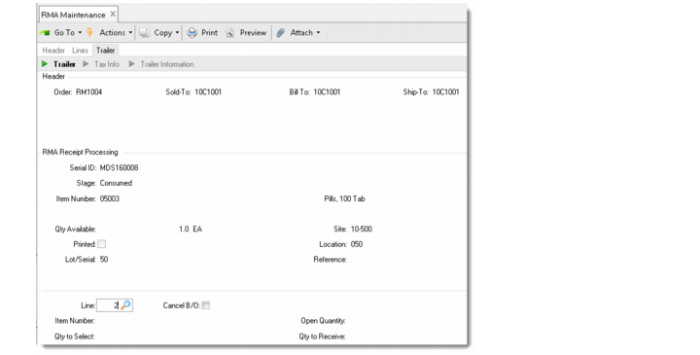
RMA Receipt Processing Frame
Enter the serial ID for the item or pack to receive. The associated item/pack information is displayed. Then, enter the RMA receipt line number and the quantity to receive.
Note: Ensure that the packs or items meet the following criteria:
• The pack contains the items of the RMA receipt lines.
• Their serial IDs are consumed or aggregated to a consumed master pack.
• Their site and location are identical with the items in the RMA issue lines.
Using RMA Shipments
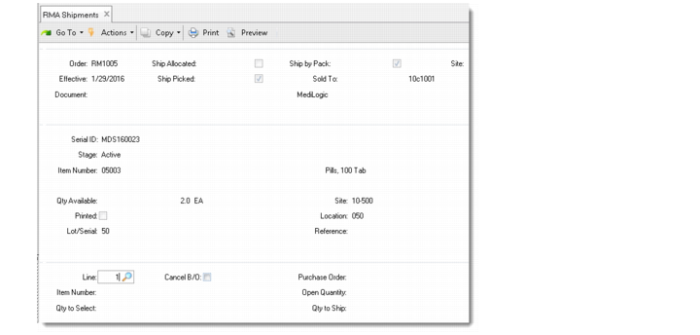
The Ship by Pack field in RMA Shipments enables you to ship serialized packs or items for an RMA order. When you set this field to Yes, you are prompted to enter the serial ID for the item or pack to ship and then specify the RMA issue line that the shipment is for.
RMA Shipments
Using RMA Receipts
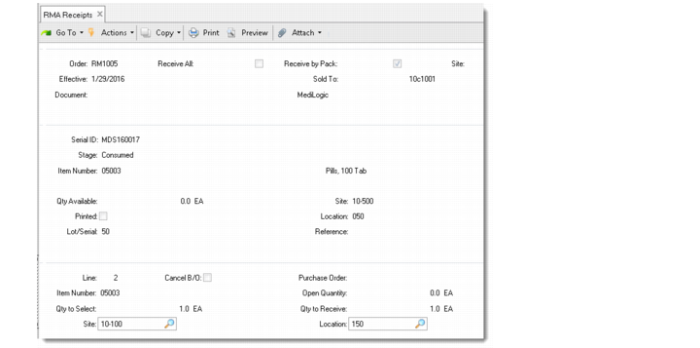
The Receive by Pack field in RMA Receipts enables you to receive serialized packs or items for a return. When this field is set to Yes, you are prompted to enter the serial ID for the item or pack to receive and then specify the RMA receipt line that the return is for.
Unlike receipts using RMA Maintenance, you can receive returned packs or items to a site and location different from the items in the RMA receipt line.
RMA Receipts