Permissions for the Channel Islands UI should be set up and configured through the Channel Islands UI, though the task can be completed using the QAD .NET UI.
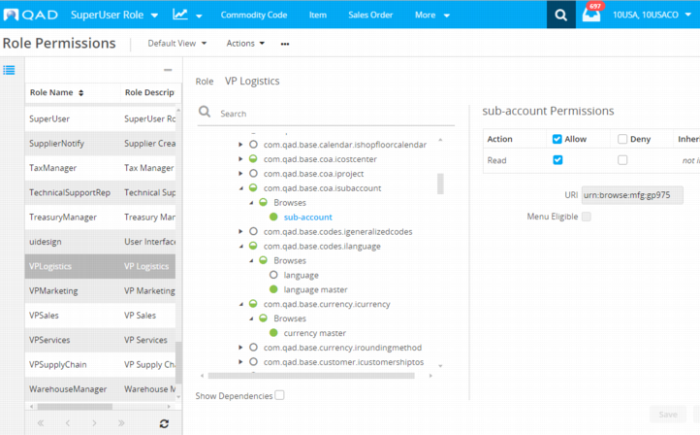
Role permissions information can be accessed through the main Role Permissions screen or as a modal dialog by selecting Permissions from the ellipses icon on every screen in the Channel Islands UI. The main Role Permissions screen, shown in
Role Permissions, displays of all the resources that can be secured in the system.
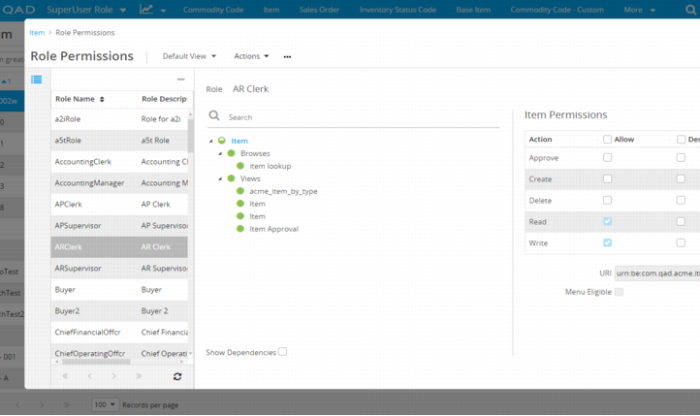
By contrast, far fewer resources are available to secure in the Permissions Tree when you select Permissions from the ellipses icon on an individual screen, such as the Item browse in
Item Permissions. The Role Permissions modal dialog shows only the resources associated with that screen, which allows you to do more granular editing for the roles that require access to the screen.