Defining Calendars
Basic setup is similar for all the calendar types:
1 Where applicable, use the selection fields to specify where the calendar applies.
2 Enter the number of hours scheduled on each day of the week for one or more shifts.
The following topics provide calendar-specific information.
Domain Calendar
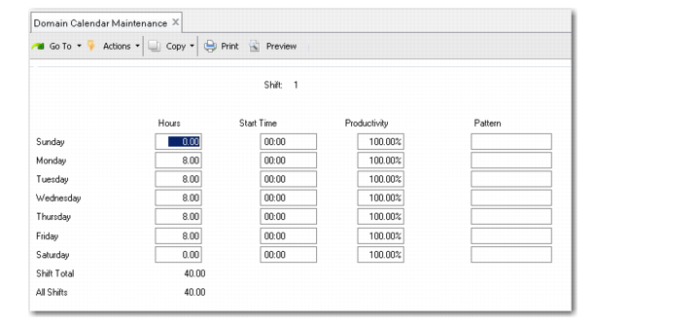
Use Domain Calendar Maintenance (36.2.4.1) to define the default calendar for the entire domain. Related programs are on the Domain Calendar Menu (36.2.4). Set up exceptions in Domain Calendar Exceptions Maint (36.2.4.4).
There are no selection fields; the system applies the calendar to the current working domain.
Domain Calendar Maintenance (36.2.4.1)
Shift
Enter a code identifying the work shift associated with this calendar entry.
If you have just one shift, enter the information under Shift 1. The system considers each day with a positive number of hours as a work day.
Hours
Enter the number of work hours for this shift and day of the week. If you do not enter a number of hours, the system considers this a non-work day.
Start Time
Enter the time of day (based on a 24-hour clock) that this workday begins on the selected shift.
Productivity
When a shift is more or less productive than a normal shift (for example, because it has a larger or smaller crew), enter an adjustment. Less than 100% indicates a less productive shift; more than 100% indicates increased productivity.
Example: A production line has three shifts, and the third shift has only 20% of the employees of the first two shifts. Enter a shift adjustment factor of 20% for that shift.
The system rates shift capacity as:
Shift Capacity = Production Rate * Hours * Productivity
Note: This Productivity field has no connection to productivity measures elsewhere in the system.
Pattern
Optionally, identify a pattern that applies to this day on this shift, such as a recurring event. For example, you might add a code to indicate that two hours of maintenance is performed during shift 1 on the first Monday of each month. This could serve as a reminder to define a -2.0 hour exception.
This field is for reference only. It is not used in any system processing.
Site Calendar
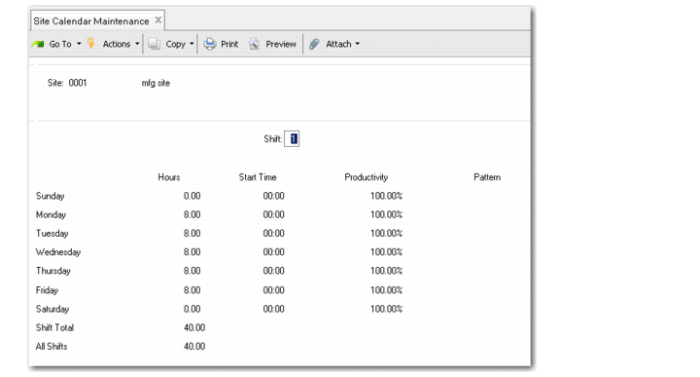
Use Site Calendar Maintenance (1.1.22.1) to define the default calendar for a specific site. Related programs are on the Site Calendar Menu (1.1.22). Set up exceptions in Site Calendar Exceptions Maint (1.1.22.4).
Site Calendar Maintenance (1.1.22.1)
Site
Enter the site that this calendar applies to. This is a required field.
Note: Time fields are the same as described for Domain Calendar Maintenance. See
here.
Production Line Calendar
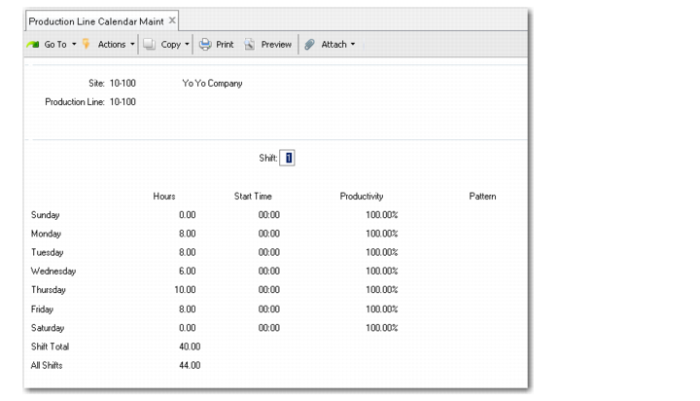
Use Production Line Calendar Maintenance (18.1.22.1, 18.22.1.22.1) to define the default calendar for a specific production line used in repetitive manufacturing. Related programs are on the Production Line Calendar Menu (18.1.22, 18.22.1.22). Set up exceptions in Production Line Cal Except Maint (18.1.22.3, 18.22.1.22.3). You also can use Production Line Non-Workday Update to define full-day exceptions; see
here.
Production Line Calendar Maintenance (18.1.22.1, 18.22.1.22.1)
Site
Enter the site that this calendar applies to. This is a required field.
Production Line
Enter the repetitive production line that this calendar applies to. This is a required field.
Note: Time fields are the same as described for Domain Calendar Maintenance. See
here.
Work Center Calendar
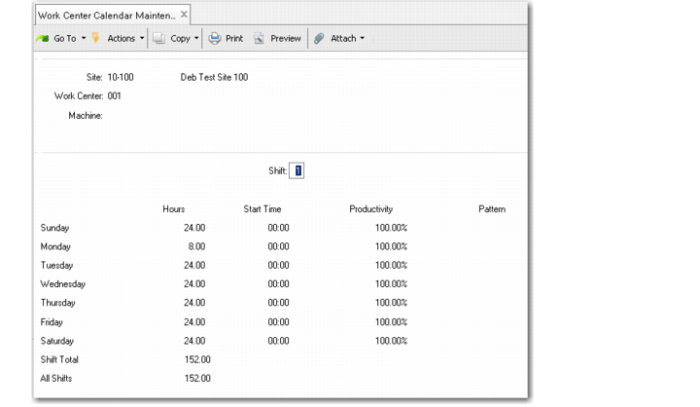
Use Work Center Calendar Maintenance (14.18.1) to define the default calendar for a specific work center, or work/center machine combination. Related programs are on the Work Center Calendar Menu (14.18). Set up exceptions in Work Center Calendar Excpt Maint (14.18.4). You also can use Work Center Non-Workday Update to define full-day exceptions; see
here.
Important: If you define calendars down to the machine level, note that exceptions with Machine left blank do not apply to machine-specific calendars. For example, you set up calendars for Work Center 100/Machine 1, Work Center 100/Machine 2, and Work Center 100/Machine [blank]. The system does not apply exceptions for 100/[blank] to the Machine 1 and Machine 2 calendars.
Work Center Calendar Maintenance (14.18.1)
Site
Enter the site that this calendar applies to. This is a required field.
Work Center
Enter the work center that this calendar applies to. It must be associated with the specified site. This is a required field.
Machine
Optionally, enter the machine that this calendar applies to. Leave blank to apply the calendar to all machines in the work center, which is typical.
Note: Time fields are the same as described for Domain Calendar Maintenance. See
here.
Kanban Process Calendar
Use Process Calendar Maintenance (17.1.13) to define the default calendar for a specific kanban process. Related programs are on the Kanban Setup Menu (17.1). Set up exceptions in Process Calendar Except Maint (17.1.14). You also can use Process Non-Workday Update to define full-day exceptions; see
here.
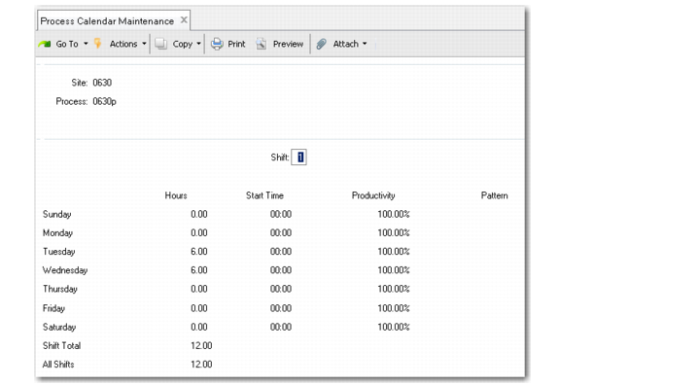
Process Calendar Maintenance (17.1.13)
Site
Enter the site that this calendar applies to. This is a required field.
Process
Enter the kanban process that this calendar applies to. It must be associated with the specified site. This is a required field.
Note: Time fields are the same as described for Domain Calendar Maintenance. See
here.
Supplier Calendar
Use Supplier Calendar Maintenance (5.5.1.1) to define the default calendar for a specific supplier. Related programs are on the Supplier Schedules Setup Menu (5.5.1). Set up exceptions in Supplier Calendar Except Maint (5.5.1.4).
Important: Unlike other calendar maintenance functions, this program includes additional navigation that lets you define holidays for the supplier. See
Non-Operating Days Frame.
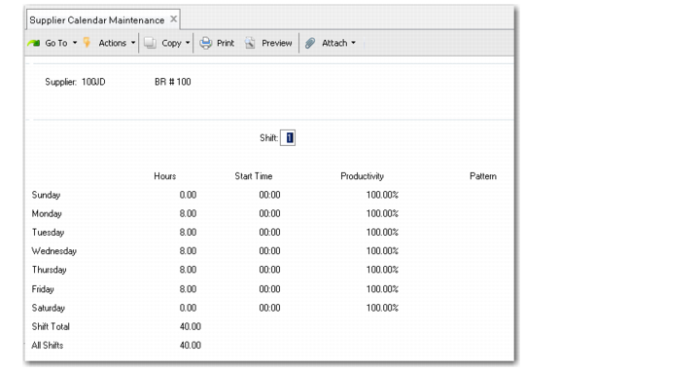
Supplier Calendar Maintenance (5.5.1.1)
Supplier
Enter the supplier that this record applies to. This is a required field.
Note: Time fields are the same as described for Domain Calendar Maintenance. See
here.
Non-Operating Days Frame
Because your suppliers might observe different holidays than your own company, the system does not apply Holiday Maintenance records in calculations that use supplier calendars. Instead, it uses records defined in the Non-Operating Days frame of Supplier Calendar Maintenance.
Note: This function can be used only for full days of non-operation. Use Supplier Calendar Exception Maint to define all other exceptions.
This frame is displayed after you save the basic calendar.
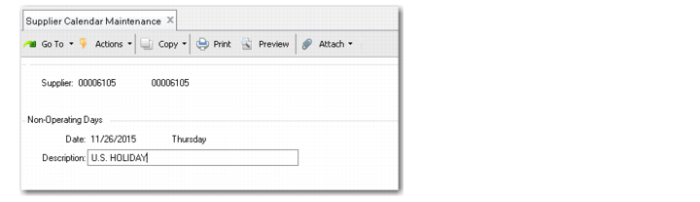
Supplier Calendar Maintenance, Non-Operating Days
Date
Specify the date of this non-operating day.
System calculations automatically adjust this supplier’s calendar to make this a non-working day for all defined shifts.
Description
Enter a description of this non-operating day; for example, Christmas Holiday.