QAD Solution
To manage withholding tax for AR, create a new tax type in Tax Type Maintenance (29.1.1) for withholding tax for accounts receivable. However, do not select the Withholding Tax Type field in Tax Type Maintenance as you do for withholding tax types for accounts payable.
In Tax Group Create (29.6.1.2.1), define a distinct tax group to use for withholding tax for accounts receivable.
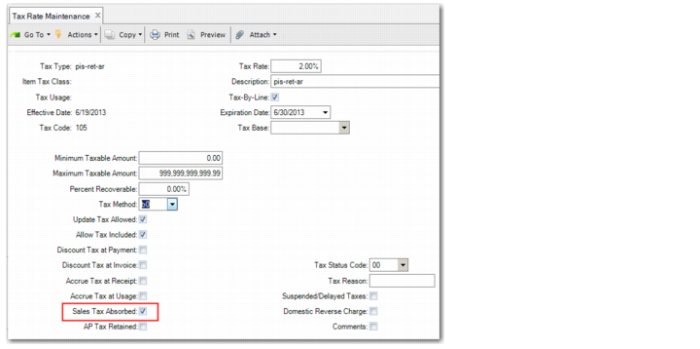
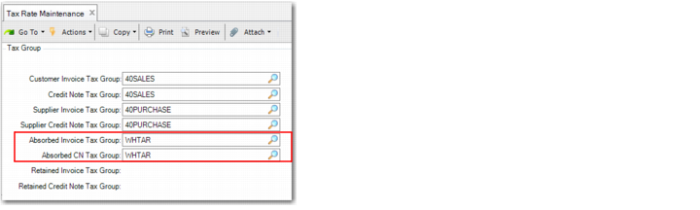
In Tax Rate Maintenance (29.4.1), specify the withholding tax type for accounts receivable, the tax rate, and select the Sales Tax Absorbed field to identify taxes that are withheld. In the Tax Group frame of Tax Rate Maintenance, specify the tax group for withholding tax for accounts receivable in the Absorbed Invoice Tax Group and the Absorbed CN Group fields, as displayed in the example in
Tax Rate Maintenance, Tax Group Frame. The tax setup is then used to identify accounts receivable withholding taxes. Using this setup, the
nota fiscal contains the full invoice amount and the accounts receivable sub-ledger contains the net amount.
Tax Rate Maintenance, AR Withholding Tax Type
Tax Rate Maintenance, Tax Group Frame
Note: For accounting purposes, you must set up Gross Income Accounting. Refer to User Guide: QAD Global Tax Management.