Differing WHT Amounts
When the customer payment is different to the customer invoice amount, some extra setup is necessary.
Customer WHT Amount Greater than Invoice Amount
Example: The company has a legal document for 100.00. From this, a customer invoice for 90.00 is issued and the WHT is calculated to be 10.00. However, the customer calculates the WHT at 15.00 and makes a payment of 85.00. The customer invoice balance is 5.00.
In this case, use Open Item Adjustment to allocate the remaining invoice amount to a tax amount. Because you are using the WHT AR Report and WHT Payment Interface, you must:
• Create a separate daybook code for this type of transaction.
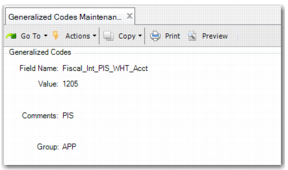
PIS Generalized Code
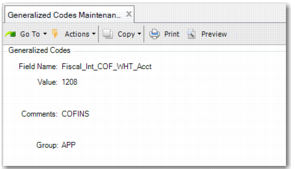
COFINS Generalized Code
Customer WHT Amount Lower than Invoice Amount
Example: The company has a legal document for 100.00. From this, a customer invoice for 90.00 is issued and the WHT is calculated to be 10.00. However, the customer calculates the WHT at 5.00 and makes a payment of 95.00. The customer invoice balance is now minus 5.
In the example, the customer invoice amount is 90.00 but the customer paid 95.00. Perform the following steps:
1 When the customer pays more than the invoice amount, create another invoice for the difference—in this case, 5.00.
2 Using Open Item Adjustment Create, select the invoices for 90.00 and for 5.00 and create a new item. The balance for both invoices is now zero.
3 Create a third customer invoice for 95.00 and run the normal flow of the payment. In the report, the payment is considered to be the total amount (95.00) and shows the new customer invoice created with the price difference.