Modifying a Schema Configuration
Once a schema has been added, you can modify a limited set of attributes.1 To modify a schema configuration, choose Schemas|<mfgpro-version>. The master list of all available standard and custom schemas displays.
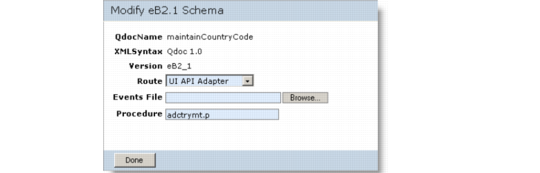
2 Select the schema you want to modify and choose Modify and then choose the appropriate Suspend option if QXI is active. The Modify Schema page displays.
Modify a Schema Configuration
3 Update Route, Events File, or Procedure and choose Done. A confirmation message displays.
4 If you suspended QXI services in step
2, you are given the option to resume. If you do so, QXI services resume and a confirmation message displays.
5 To exit the modify schema or the resume QXI services confirmation screens, choose any other menu option in the QXtend Manager interface.