Load Language-Specific System Data
You now load the language-specific system data.
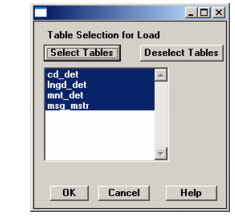
1 The Table Selection for Load screen displays again, showing the tables to update with language-specific data files. All are selected by default.
Second Table Selection for Load Screen
2 Choose OK to load the data. The Log Window displays the load progress.
3 When the load completes, choose Close to continue.
4 Repeat steps
1 through
3 for each installed language.