Progress Century Parameter
If the Progress century startup parameter (-yy) does not match in the source version data files and the target version database, errors can occur during the data load.
In this case, the message in
Century Parameter Error Message displays in the error files (extension
.e) created during the data load.
Century Parameter Error Message
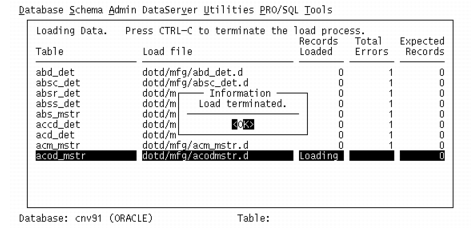
One indication that this is happening is that every table loaded shows exactly one error, even when there are no records being loaded. In this case, you can stop the load by pressing Ctrl+C.
Century Parameter Error Screen is an example of this situation.
Century Parameter Error Screen
Check the error files in the dump directory. If they all contain the error message in
Century Parameter Error Message, delete the records that were loaded and restart the load—making sure to specify
-yy 1920.