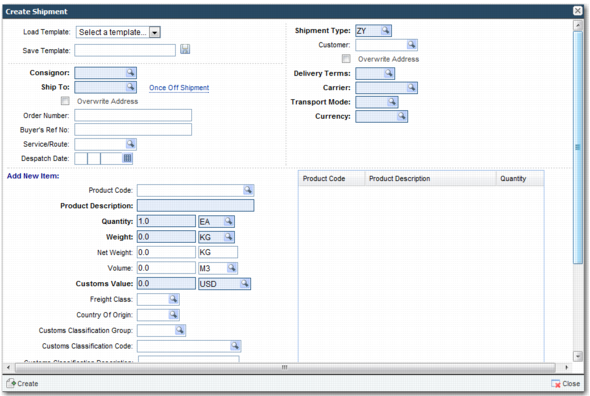
You can now use the manual shipment option in Workflow to create a shipment using the new shipment type. This action associates your newly created workflow with the shipment.
Create Manual Shipment shows the Create Manual Shipment pop-up window with the newly created shipment type ZY.
After you create a shipment, you can view it in the Transaction panel of the Workflow Portal. Selecting the shipment displays the associated workflow tasks in the Tasks area. Double-click a task to run it.