Creating a Manual Shipment
You can now create a manual shipment using your newly created shipment type.
1 Click the Create Shipment button in the Workflow Transaction Panel toolbar.
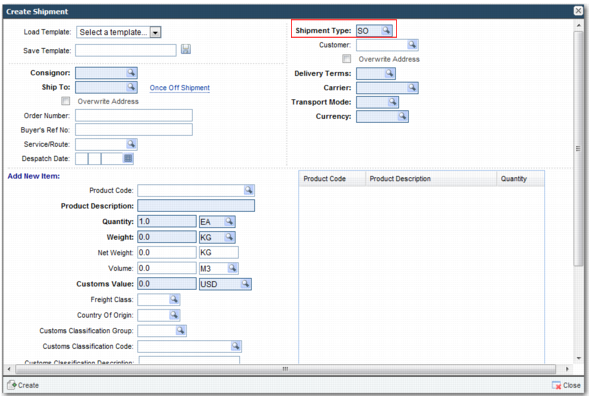
2 In the Create Shipment window that appears, enter the shipment details, including the code for the newly created shipment type.
Create Shipment Window
3 Click Create. Note the reference number of the newly created shipment.
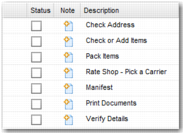
You can now search for and view the shipment in Workflow. Enter the reference number of the newly created shipment in the Reference No. field of the Search panel and click Search. The shipment appears in the Transaction panel, and the associated workflow appears in the Tasks area.
Newly Created Workflow