|
Check
|
Purpose
|
|
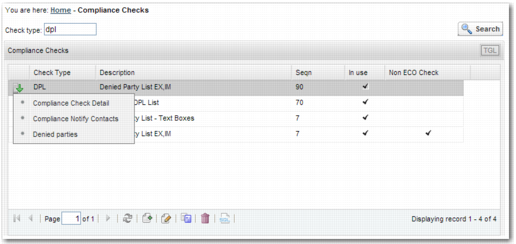
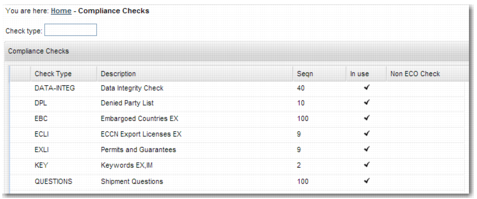
(DPL) Denied Party List
|
The Denied Party List (DPL) check compares the names and addresses against the lists of denied and restricted parties in the system. The list of denied and restricted parties in the system can be a combination of lists that Precision has sourced and provides as content, and entries that your company may have maintained.
|
|
(EBC) Embargoed Countries
|
The Embargoed Countries (EBC) check compares the countries on a transaction against the list of embargoed or sanctioned countries in the system. The list of countries can be a combination of lists that Precision has sourced and provides as content, and entries that your company may have maintained.
|
|
(ECLI) Dual Use
|
This check determines whether an item requires an export license to be shipped to a specific country. The check is based on the item-assigned dual-use code, known as an Export Control Classification Number (ECCN) in the US.
Precision provides a content subscription service for the regulations; for example, United States and European Union.
|
|
(EXLI) Permit/Guarantee
|
This check determines whether an item requires a permit or guarantee to allow shipping. The check is based on rules maintained by your company.
|
|
(KEY) Keywords
|
This check determines whether names and addresses contain particular words; for example, Nuclear. The list of words to check is maintained by your company.
|
|
(DATA-INTEG) Data Integrity
|
This check ensures that key pieces of data on a transaction are included and are valid.
|
|
Questionnaire
|
The questionnaire checks whether certain requirements are fulfilled by the shipment through a list of mandatory questions to answer.
|