Product-Level License Rules
To set up a license at product level:
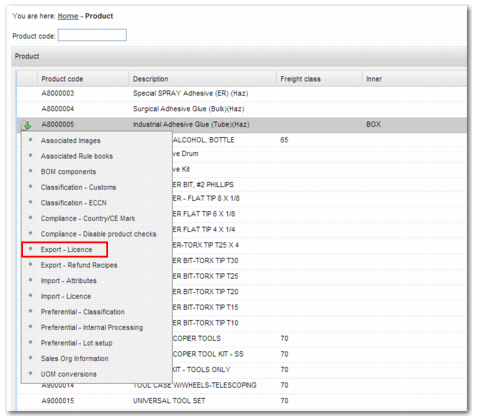
1 Open option PR.
2 From the product code list, select the product you want to classify.
3 In the sub-options, select Export – License.
Product Classification
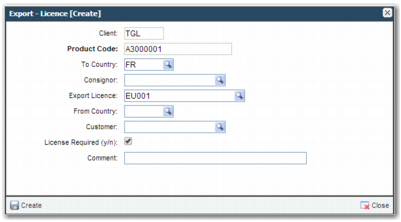
4 Create a new record.
To Country
The license is required when shipping to the country in this field.
Consignor
The license is required when the consignor is the one specified in this field.
Export License
Add a valid export license that enables the transaction to automatically pass the check. You must set up the license in option XG before you can use it here.
From Country
A license is required when shipping from the country in this field.
Customer
A license is required for shipping to the customer in this field.
License Required
Select this field to require a license. It is selected by default. Clear this field when this rule is an exception that specifies a product where no license is required.
Create Product Export License
6 To add the record, click Create.