Configuring Highway
The default configuration of Highway provided with PRECISION already has some endpoints set up. Ensure that the physical folder or queue specified in these endpoints exists before you use them. You can also configure your own endpoints. To set up Highway to handle responses, you need the following endpoints:
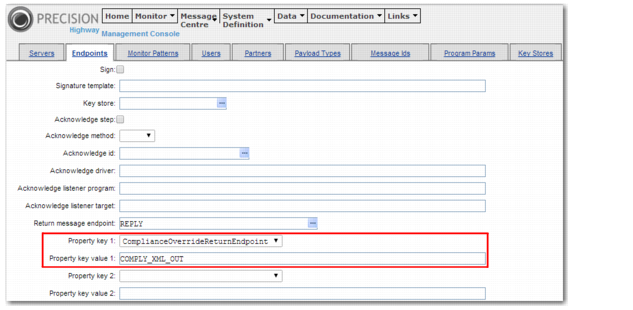
• An endpoint that receives the createshipment or complianceprocess synchronous message. This endpoint then points to the directory where response messages are placed. For example, the default endpoint COMPLYBB_SYNCH is configured to point to the directory COMPLY_XML_OUT, as displayed in
Highway Endpoint Configuration.
• An endpoint—such as COMPLY_XML_OUT—that stores the XML response message produced. Configure this endpoint to include the output target name.
Highway Endpoint Configuration