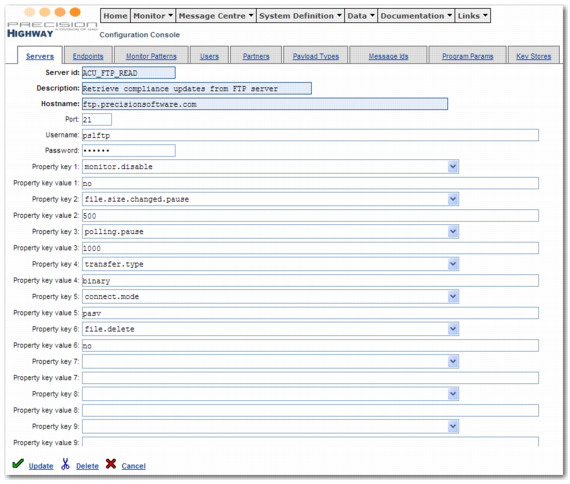
In the Highway Console, choose System Definition | Servers and open the ACU_FTP_READ server. Complete the fields to reflect customer access to the Precision FTP server, making sure to supply the correct server name, user name, password, and port number, as displayed in
ACU FTP Server Configuration.