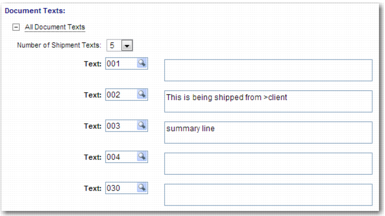
Document Texts Area
To specify the number of text areas that appear in the document, use the Document Texts area displayed in
Document Texts Area.
Document Texts Area
Number of Shipment Texts
Choose the number of text areas that appear in this document.
Text
This field contains a text ID and a text description. Each text ID represents a category of information to include in the document; for example, marks and numbers or handling information. Use the lookup to select an appropriate text ID, and then enter the text in the description field to the right of the text ID field.
The Show Summary Next field appears at the bottom of the screen. If you want to see the Summary page, select this field.