Post-Installation Configuration
This section describes post-installation configuration of QAD Customer Relationship Management (QAD CRM). It discusses the following topics:
Overview
After installing QAD CRM, you must configure it according to the requirements of your company. Most system features are based on these configurations. For example, users access the system through their user profile and permissions as configured in the system.
You must configure the system before using it in your company’s production environment.
Custom settings of the system are categorized as mandatory configurations or function settings.
Mandatory Configuration Tasks
Mandatory configuration tasks provide the minimum information required to operate QAD CRM. These are typically one-time settings and must be completed before the system is used in the production environment. The system provides a Configuration Wizard to set up mandatory information.
Mandatory information includes:
• Details of the headquarters of your business unit
• Administrator profile
• Base currency
• Business year
• Data synchronization
• Look-up data
Function Settings
Function settings are useful for customizing and operating the system. They can be set up at any time during system deployment and include:
• User profiles
• Teams
• System parameters
• Menus
• Programs
• Wizards
• System messages
• User-defined frames
• Export options
• Templates
• Currency and foreign exchange rates
• VAT details
• Product details
• Territory details
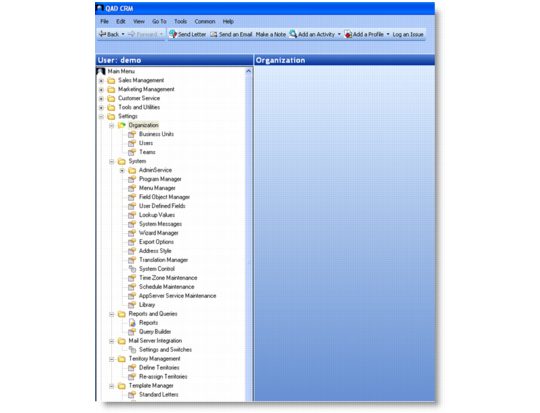
You can customize the system with mandatory and function information through the System Setup module.
System Setup Module
To integrate the system with your QAD Enterprise Applications, you must appropriately configure QAD CRM for integration. You must then transfer information from your QAD Enterprise Applications to the system.