Defining an Exclusion List
Use the Exclusion Details screen to maintain an exclusion list. An exclusion list specifies the target records to exclude for a specific stage of a campaign, or for an entire campaign.
You also can define an inclusion list; for details see
Defining an Inclusion List.
1 Choose Marketing Management|Contact Mailing Preferences|Exclusion List. The Exclusion List browser displays the exclusions currently defined in the system.
2 Right-click the Exclusion List browser and choose Add from the menu.
Note: This menu also contains options for deleting and editing existing exclusions.
Details
Use the Details tab to define your exclusion list.
Exclusion Details
Literature
Enter a code to identify the literature to exclude from the list.
Description
Enter a description of literature to exclude.
Targets
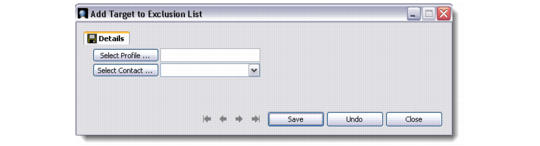
Use the Add Target to Exclusion List dialog box to add a profile and/or contact to the exclusion list.
Note: To display this dialog box, right-click the Targets browser and choose Add from the right-click menu.
Add Target to Exclusion List
Select a profile and/or contact to add to the exclusion list.
You also can create a target list using search criteria. For details, see
Building a Target List Using Search Criteria.