QAD Enterprise Asset Management 2017.1
>
User Guide
>
Maintenance
>
Work Orders
>
PM Route Workflow Procedure Using Work Orders
PM Route Workflow Procedure Using Work Orders
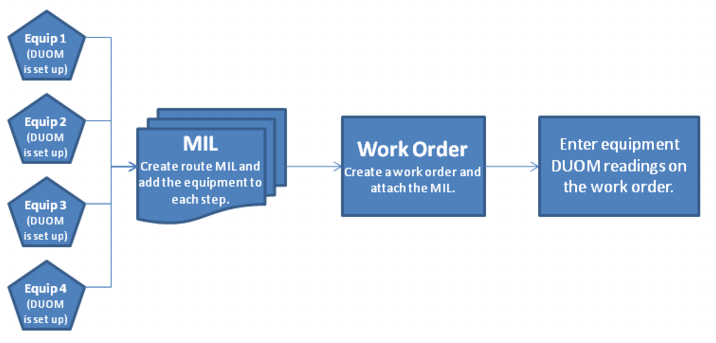
The following procedure shows how to enter DUOM readings for multiple pieces of equipment using work orders with a route MIL.
PM Route Workflow Procedure Using Work Orders
1 Create a route MIL and add steps to the MIL. On each step, attach a piece of equipment. See
Creating an MIL.
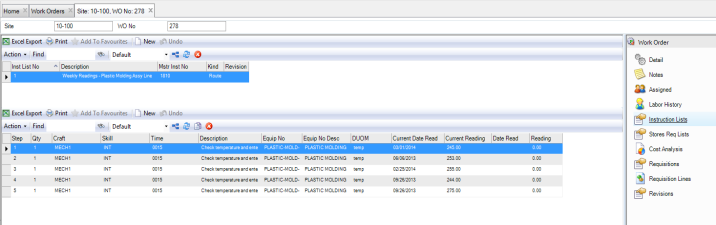
Add the MIL to the Work Order
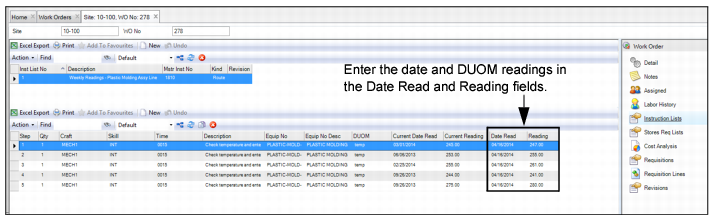
4 To enter readings, open the work order and select the Instruction List submenu. Enter the date and the readings for each piece of equipment in the Date Read and Reading fields.
Entering Equipment Readings